¶ Set Up For Dynamic nHair
Attract all root points of the NURBS to the head surface using the "Select Root Points" script and apply a Shrink Wrap with the "Closest" parameter.
Press the 'Delete Intermediate Object' button.
Rebuild the surfaces with a parameter range from 0 to 1.
Delete history and freeze transformations.
Select group of NURBS and head geo and run the script.
To prepare the hair for dynamic setup, you need to ensure that the roots of the curls are on the surface of the head. The simplest and fastest way to magnet them to the head is to use a shrink wrap. Run the script that will select the root points of the NURBS, and press 'shrink wrap'.
Select Root CV mel script
{
$nurbs = `ls - sl -l -type "nurbsSurface" -dag `;
$U = `getAttr ($nurbs[0]+".spansU")`;
select -r ($nurbs[0]+".cv[0:"+$U+"][0]") ;
for ($n=1; $n<size($nurbs); $n++)
 {
     $U = `getAttr ($nurbs[$n]+".spansU")`;
     select -add ($nurbs[$n]+".cv[0:"+$U+"][0]") ;
 }
}
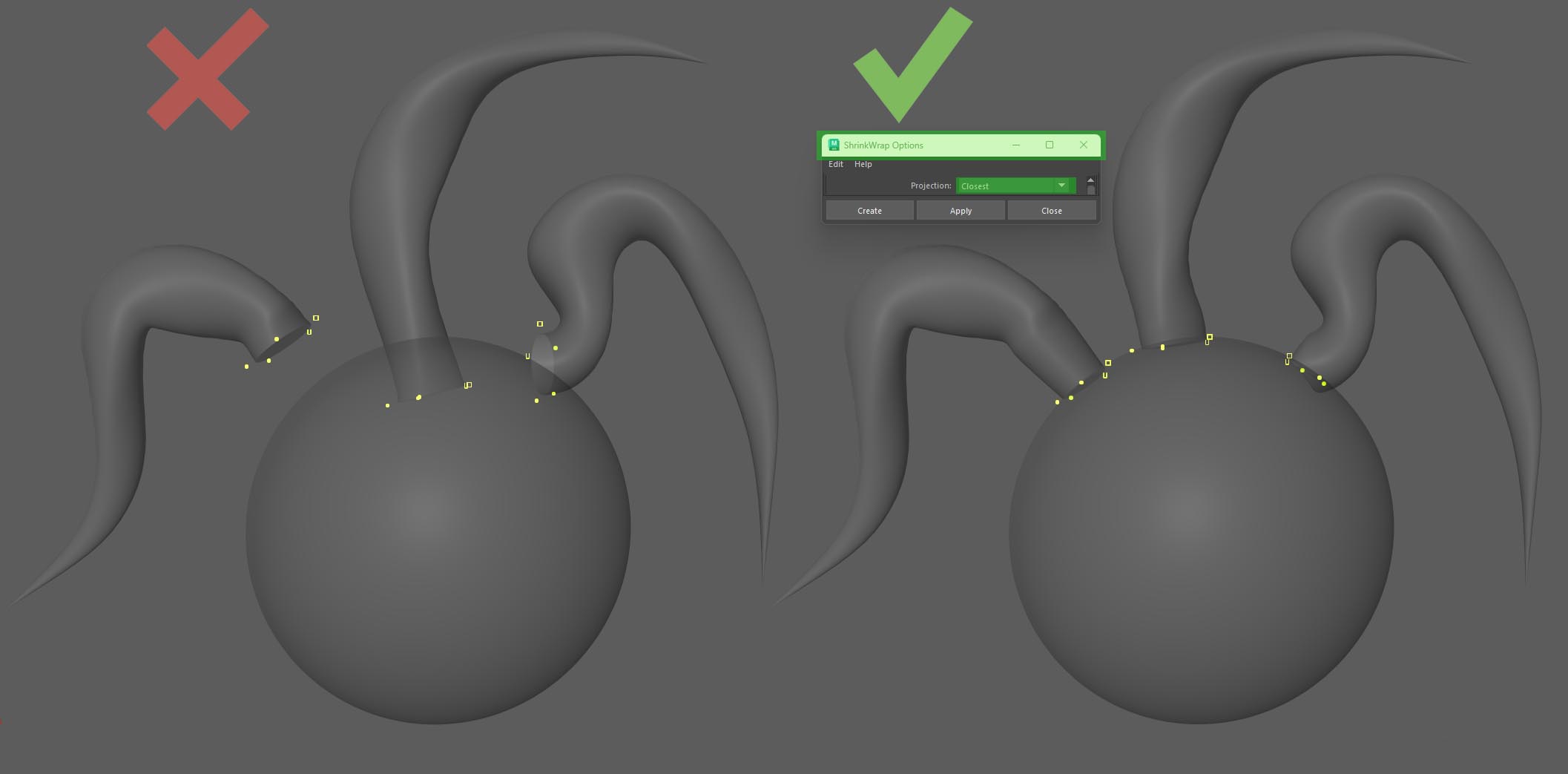
Then, press the 'delete intermediate object' button, which was added in version 0.9 of the plugin. This activated command will automatically delete the orig shapes that can appear if you apply certain deformers (like a wrap) to the NURBS. You can also find them manually using a search mask and delete them yourself.
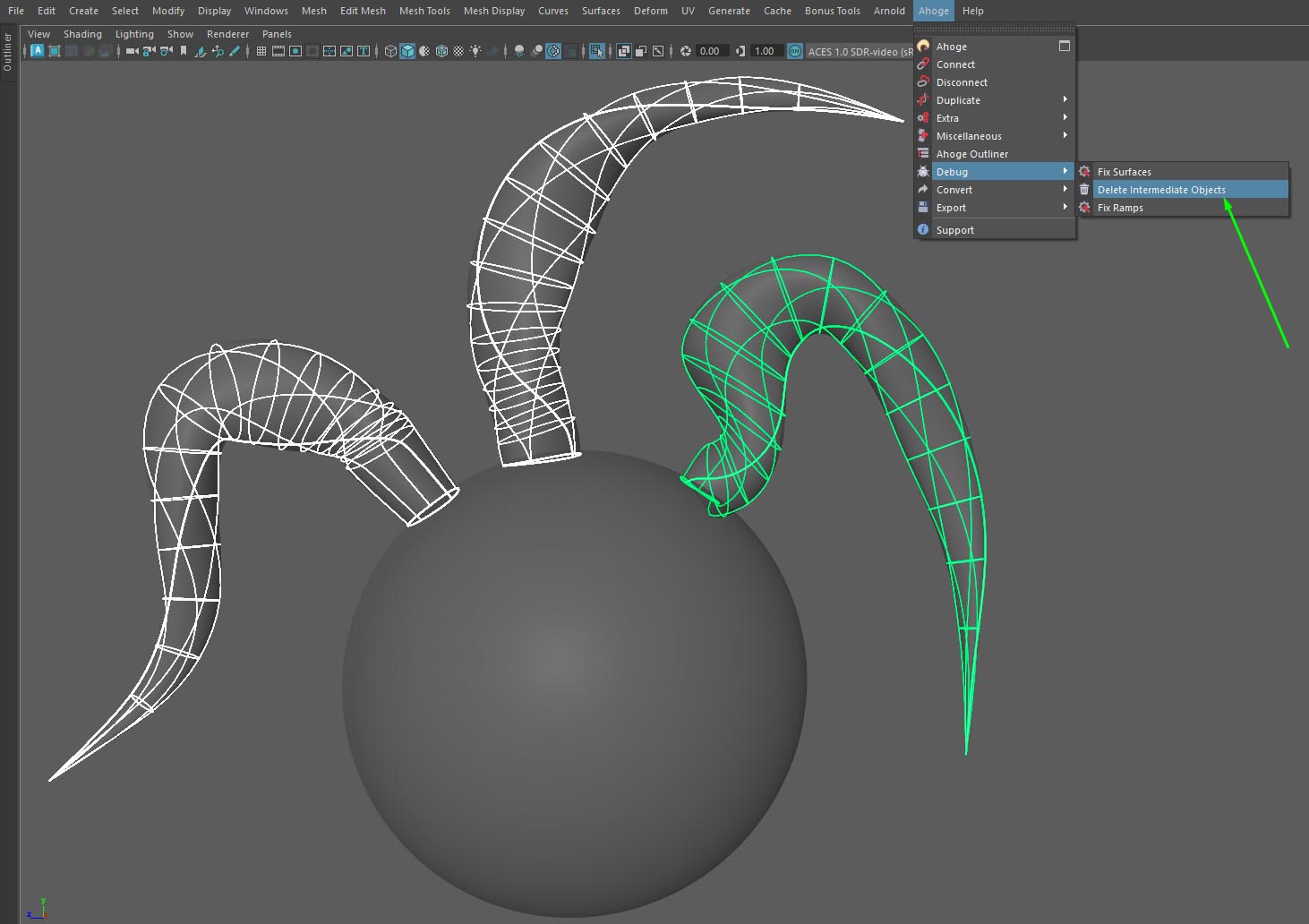
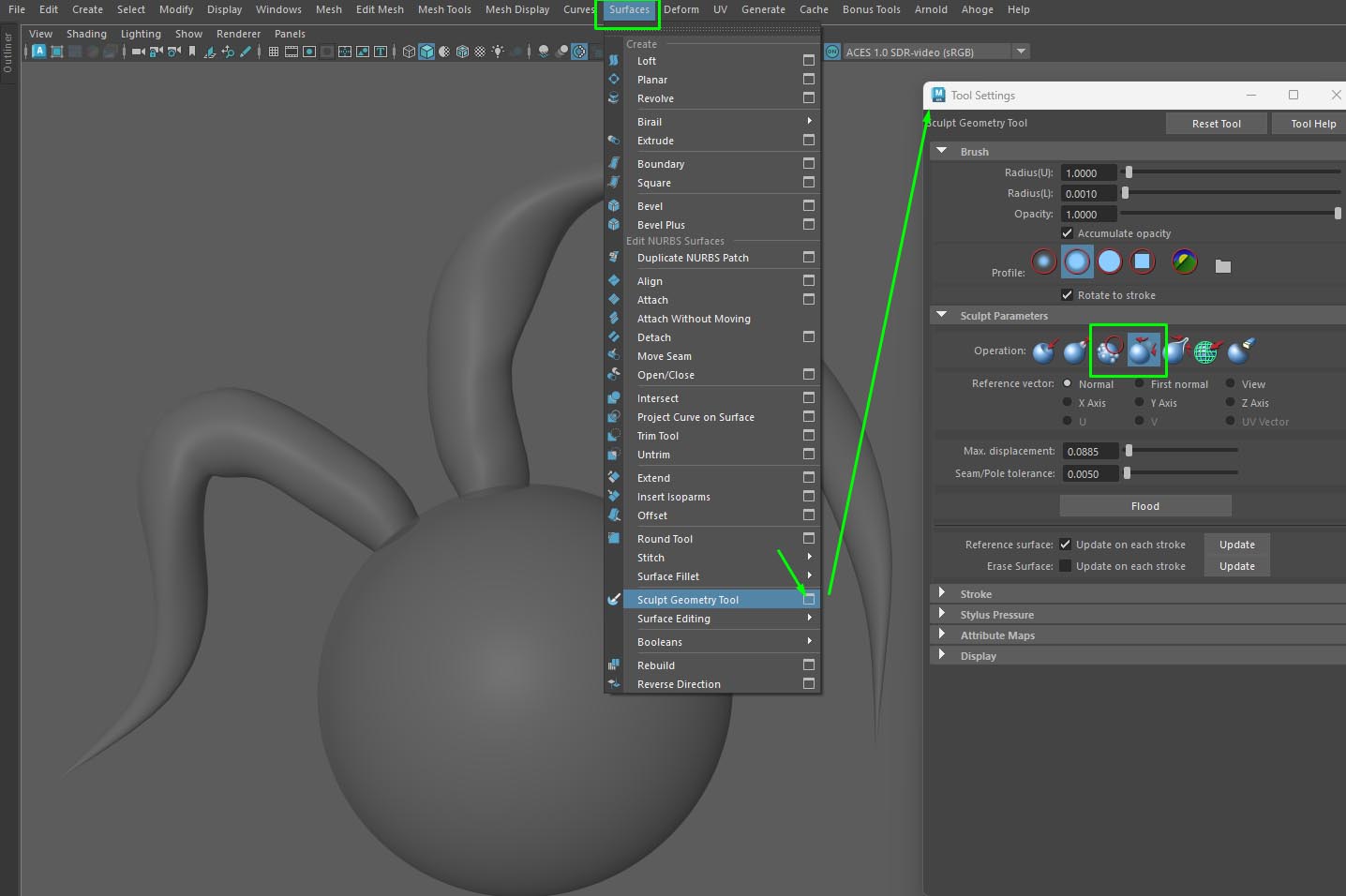
Next, you need to smooth out any curls that have become heavily deformed using the surface smooth brush or using Mesh Sculpt Tool Mel Script, wich is available for download on our ahoge boosty page. Currently, the script only works with NURBS cylinders that are parameterized from 0 to 1.
Therefore, before running the script, additionally apply a 'rebuild' with the specified parameters.
Next, select the group of NURBS and the head or scalp geometry. And run Dynamic Setup Script. The script will create curves inside the NURBS, convert them into dynamic curves, create bones along each curve, and bind the NURBS to these bones. The dynamic curves will control the bone chains via an IK spline.
global proc string[] centralCurve(string $nurbs[])
{
    string $curls[];
    for ($j=0; $j<size($nurbs); $j++)
        {
            $loftSurf = `loft -ch 1 -u 1 -c 0 -ar 1 -d 3 -ss 1 -rn 0 -po 0 -rsn true ($nurbs[$j] + ".u[0.25]") ($nurbs[$j] + ".u[0.75]")`;
            $crv_tmp = `duplicateCurve -ch 1 -rn 0 -local 0  ($loftSurf[0]+".v[0.5]")` ;
            DeleteHistory;
            rebuildCurve -ch 0 -rpo 1 -rt 0 -end 1 -kr 0 -kcp 1 -kep 1 -kt 0 -s 6 -d 1 -tol 0.01 $crv_tmp[0];
            rebuildCurve -ch 0 -rpo 1 -rt 0 -end 1 -kr 0 -kcp 1 -kep 1 -kt 0 -s 6 -d 3 -tol 0.01 $crv_tmp[0];
            $curls[$j] = `rename $crv_tmp[0] "centreCurve_#"`;
            delete $loftSurf;
        }
    return $curls;
}
{
string  $dynamic_curves[], $static_curves[], $nurb[], $head_geo[], $ik[], $joints[];
string    $joint1[], $joint2[];
$m=0;
$sl_geo =`ls -l -sl -type "mesh" -type "nurbsSurface" -dag`;
$nurbs= `ls -l -type "nurbsSurface" $sl_geo`;
$head_geo = `ls -l -type "mesh" $sl_geo`;
string $all_curls[]= centralCurve($nurbs);
$tmp_grp = `duplicate -rr -n "temp_crv" $all_curls`;
select $all_curls;
select -add $head_geo[0];
makeCurvesDynamic 2 { "1", "1", "1", "1", "0"};
pickWalk -d up;
$hair_sys = `ls -sl`;
for ($z=0; $z<size($all_curls); $z++)
    {
    $dynamic_curves[$z] = "|"+$hair_sys[0]+"OutputCurves|curve"+($z+1);
    }
$joints_grp = `group -em -name "joints"`;
$ik_grp = `group -em -name "ik"`;
    for ($j=0; $j<size($all_curls); $j++)
    {
        string $curveNam = $tmp_grp[$j];
        print $curveNam;
        select -cl  ;
        float $totalCvs = `getAttr ($curveNam +".spans")` + `getAttr ($curveNam + ".degree")`;
        // creates bone on every vertex
        float $step = 1/$totalCvs;
        $step = floor(($step * 100) + 0.5) / 100;
        float $start = 0;
        // creates bone on every vertex
                        for ($i=0; $i<=$totalCvs; $i++)
                    {
                         float $jointPosition[] = `pointOnCurve -pr $start -position $curveNam`;
                         if ($i == 0)
                            {
                            joint -p $jointPosition[0] $jointPosition[1] $jointPosition[2];
                            $joint1=`ls -sl`;
                            }
                            else if ($i >= 1 && $start>=1)
                            {
                            $start=1;
                            float $jointPosition[] = `pointOnCurve -pr 1 -position $curveNam`;
                            joint -p $jointPosition[0] $jointPosition[1] $jointPosition[2];
                            string $parentJoint[] = `listRelatives -p -typ joint`;
                            joint -e -zso -oj xyz -sao yup $parentJoint[0];
                            $i = $totalCvs;
                            }
                            else
                            {
                            joint -p $jointPosition[0] $jointPosition[1] $jointPosition[2];
                            string $parentJoint[] = `listRelatives -p -typ joint`;
                            joint -e -zso -oj xyz -sao yup $parentJoint[0];
                            }
                           $start=$start+$step;
                            }
                       $joint2 = `ls -sl`;
                        print $joint1;
                        print $joint2;

            select -r ($joint1[0]+".rotatePivot") ;
            select -add ($joint2[0]+".rotatePivot");
            select -add    $dynamic_curves[$j] ;
            ikHandle -sol ikSplineSolver -ccv false;
            $ik_0 =`ls -sl`;
            $ik[$j] = $ik_0[0];
            $joints[$j] = $joint1[0];
             }

      for ($m=0; $m<size($nurbs); $m++)
            {
            select -r      $nurbs[$m];
            select -tgl  $joints[$m];
            newSkinCluster "-normalizeWeights 2 -mi 5 -omi true -dr 4 -rui true,multipleBindPose,1";
                                       }
            print  $ik;
            parent $ik $ik_grp;
            parent $joints $joints_grp;
      }
Next, you need to create a root joint and place it in the locator of the rivet constraint to avoid unwanted twisting of the NURBS surfaces when the head is rotated.
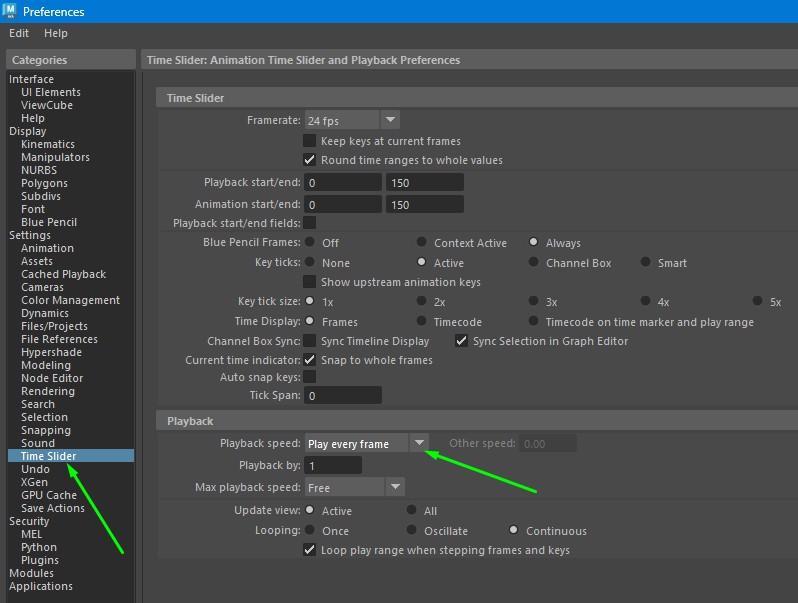
For the dynamics to display correctly in the viewport, you need to set the playback to 'play every frame' in the settings.
¶ Video tutorial
For more info please go to our boosty page: